مهندسی سامانههای هوش مصنوعی · فصل ۵ — ComfyUI و Blender Automation · 150
ComfyUI Integration
Design a bounded ComfyUI integration that treats the API-format workflow as a versioned executable contract, preflights required node classes/models/features, submits through the documented prompt queue, binds prompt_id to progress/history/output evidence, classifies validation/execution/cancellation/missing-output states, and pins custom-node/workflow dependencies so a successful HTTP submission is never confused with a verified media result. میتواند «ComfyUI Integration» را در یک workflow AI محدود طراحی کند و validation، authority، cost یا failure controls مرتبط را مشخص کند.
Lesson summary
Design a bounded ComfyUI integration that treats the API-format workflow as a versioned executable contract, preflights required node classes/models/features, submits through the documented prompt queue, binds prompt_id to progress/history/output evidence, classifies validation/execution/cancellation/missing-output states, and pins custom-node/workflow dependencies so a successful HTTP submission is never confused with a verified media result.
میتواند «ComfyUI Integration» را در یک workflow AI محدود طراحی کند و validation، authority، cost یا failure controls مرتبط را مشخص کند.
This lesson produces
میتواند «ComfyUI Integration» را در یک workflow AI محدود طراحی کند و validation، authority، cost یا failure controls مرتبط را مشخص کند.
Who it is for
Foundation
Use a guided lesson-specific evidence matrix and one worked negative case.
Repair
Re-run only the failed owned dimension with a smaller deterministic synthetic fixture.
Experienced
Start from mixed current-tool and synthetic product evidence; require explicit trade-offs and provenance.
Prerequisites
1. The real problem: queue acceptance is not a verified result
A service must run portrait-v7.api.json on ComfyUI. The stored workflow digest is wf:7, three core nodes plus VendorMaskNode@2.4 are required, model references are pinned, and the deadline is 180 seconds. Preflight is green, POST /prompt returns prompt_id=P-82, and execution messages appear. None of that alone proves that the required media exists and is safe to hand downstream. A reliable integration must bind workflow and dependency identity, validation evidence, prompt identity, terminal execution evidence, and independently validated outputs. The owned artifact is ComfyUI API Workflow Contract & Execution Evidence Record v1.
2. Lesson boundary and non-goals
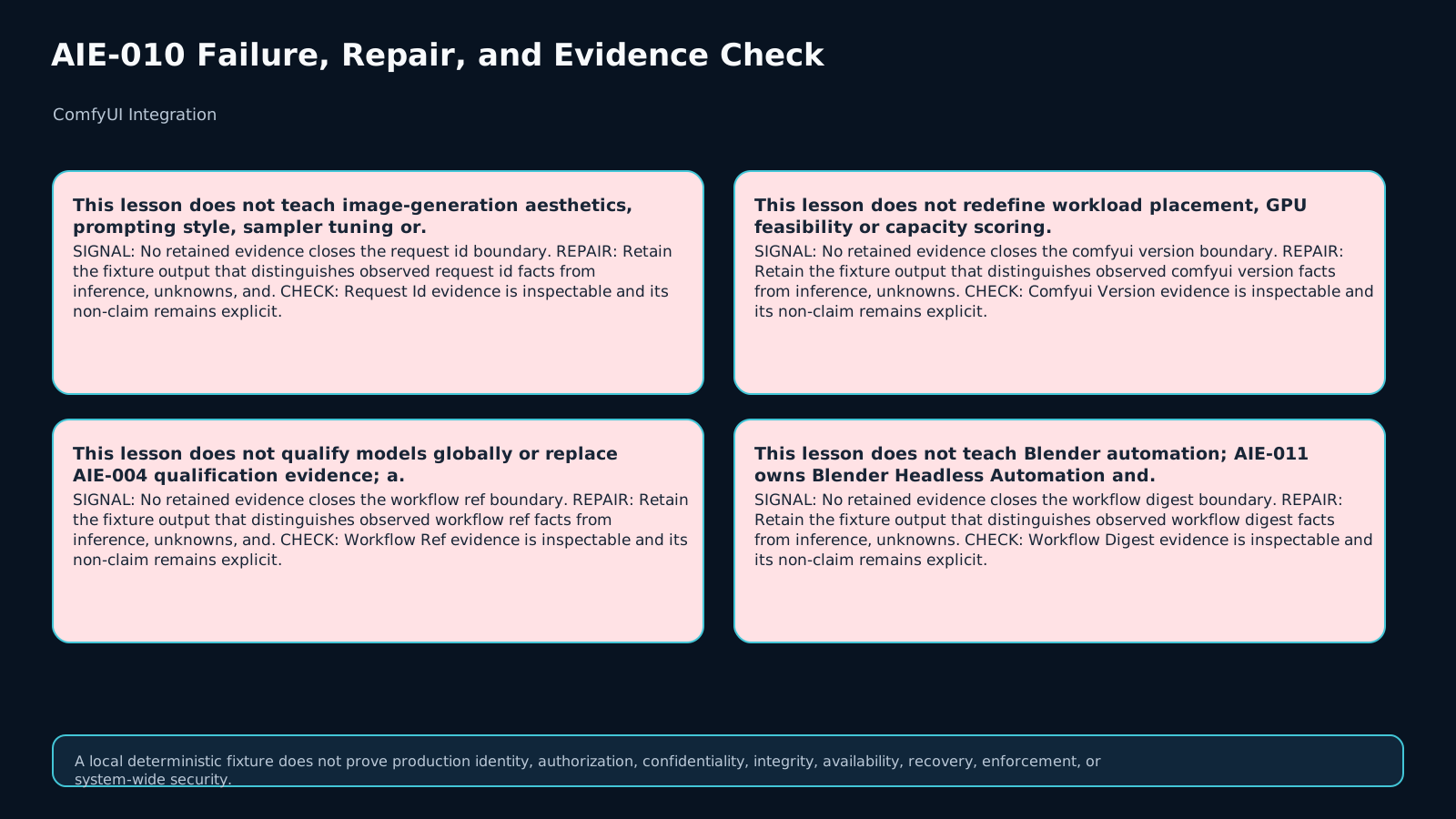
This lesson does not teach image aesthetics, prompt style, samplers, checkpoint selection, or model choice; the workflow is assumed to be chosen already. It does not redesign GPU scheduling, replace global model qualification, or teach Blender automation. The bounded question is: was this exact versioned workflow, with these node/model dependencies, qualified for API mode, accepted by validation, observed to a terminal execution state, and followed by a separately validated expected-output manifest?
3. Treat the API-format workflow as an executable contract
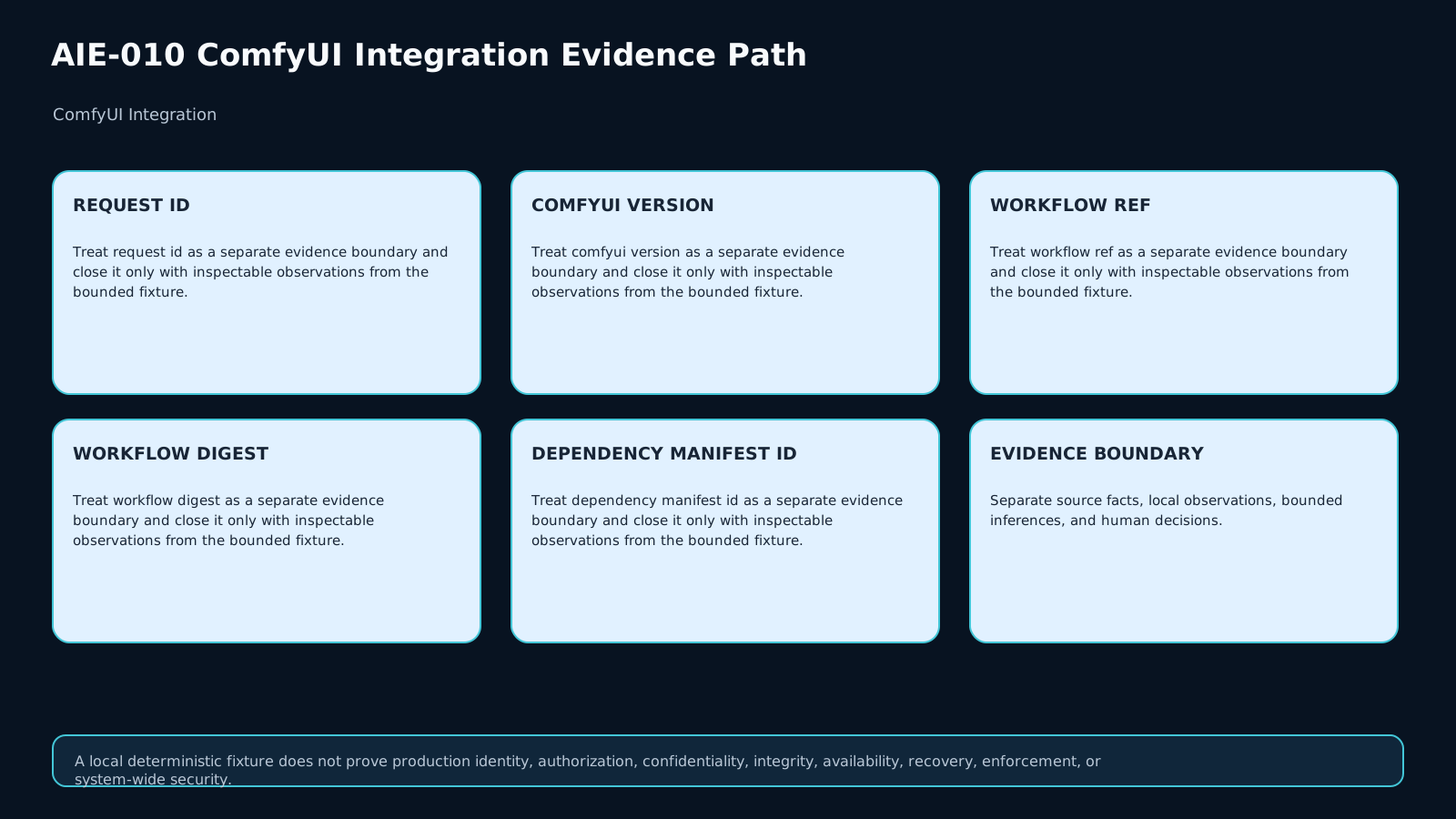
A graph that works in the browser is not automatically the exact representation an application should submit. Record the workflow_ref, exact JSON digest, ComfyUI version, and dependency manifest. A byte change in the workflow, a custom-node package version change, or a changed required model invalidates inherited qualification unless the contract explicitly requalifies it. Filenames are locators, not identity; digest and version evidence carry the claim.
4. Preflight capabilities and dependencies before submission
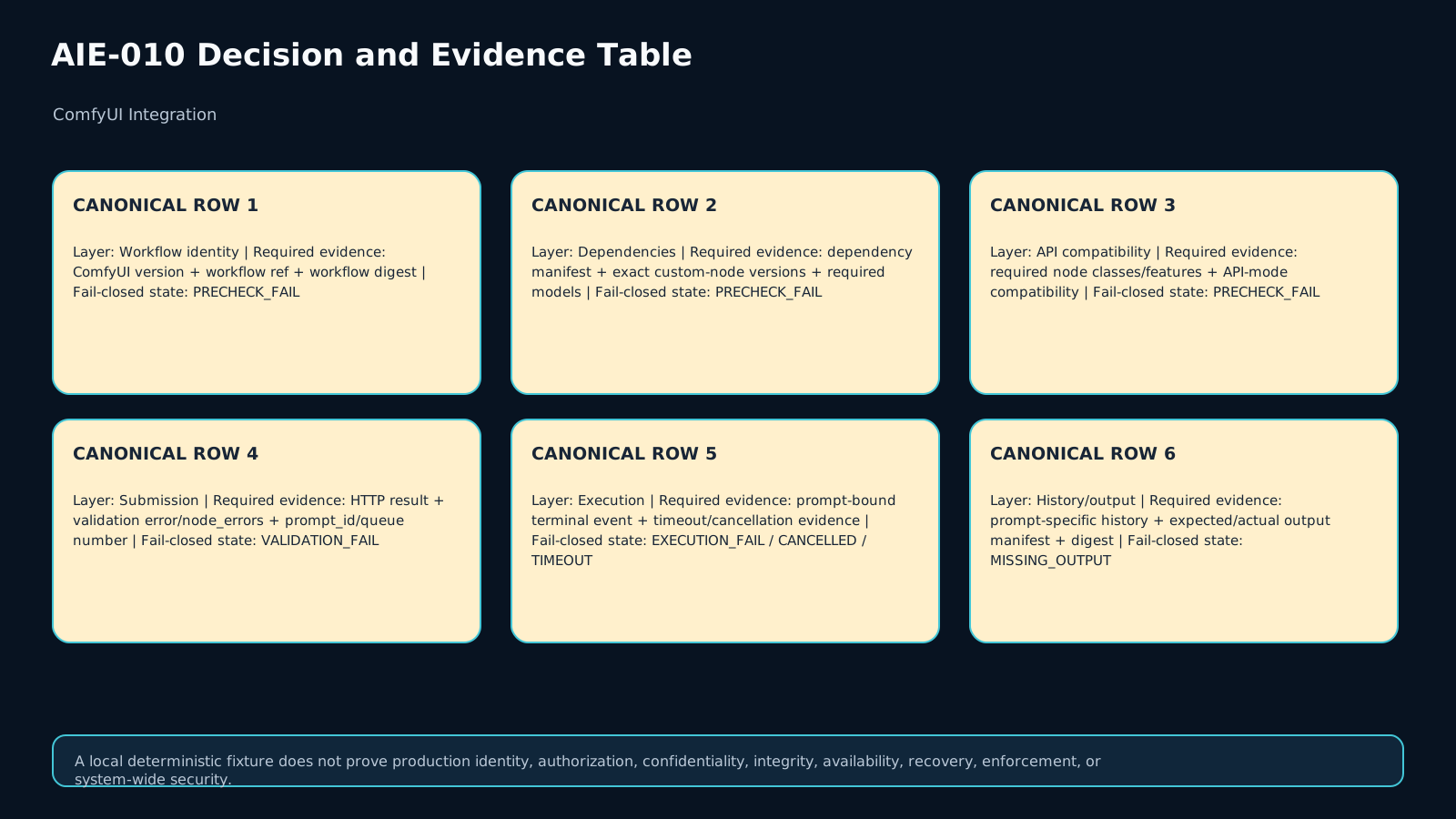
ComfyUI exposes routes that let an integration inspect server features, node definitions, and model availability, including /features, /object_info, and model routes. Use these surfaces to compare required node classes, models, features, and pinned custom-node versions with the contract. Preflight proves only the bounded availability evidence you actually checked; it does not prove output quality. A decisive mismatch should fail before POST /prompt as PRECHECK_FAIL.
5. A custom node visible in the UI is not automatically API-compatible
In API mode, a non-Comfy client sends a workflow to the server. Current ComfyUI documentation states that nodes requiring direct client-server communication are not compatible with API use. Therefore installed, visible, or manually successful custom nodes still need an explicit API-mode compatibility decision. Preserve api_mode_compatibility as its own field and fail closed when the requirement cannot be established.
6. Pin custom-node dependencies as both execution and supply-chain evidence
A custom-node package is part of the executable surface. Record package version, provenance, and the dependency manifest used by the workflow. Current ComfyUI Registry standards prohibit eval/exec in published custom nodes and prohibit runtime package installation through subprocess. Those rules are useful security signals, not a universal trust guarantee. Registry presence, popularity, or UI visibility never replaces your own qualification evidence.
7. What POST /prompt actually proves
On the self-hosted server, POST /prompt validates a workflow and, when valid, adds it to the execution queue. A successful response can include a prompt_id and queue number; validation failures can include error and node_errors. Keep that boundary exact: queue acceptance proves accepted submission, not completed execution or correct output. If validation fails or node errors are returned, emit VALIDATION_FAIL rather than manufacturing success from the HTTP layer.
8. prompt_id is a correlation key, not a success seal
Store the prompt_id with the request id, workflow digest, and dependency evidence so later WebSocket, history, and output records can be joined to one job. But a prompt id only means the queued work has an identity. Execution can still fail, be interrupted, time out, or complete without the expected artifacts. Downstream code must not consume media merely because a prompt id exists.
9. Interpret WebSocket messages correctly: executed is not whole-prompt success
The /ws endpoint carries queue and execution updates such as execution_start, executing, progress, execution_error, execution_interrupted, and execution_success. One subtle but important detail in the official message documentation is that executed is sent when a node returns a UI update; it is not a general message for every node completion and should not be treated as proof that the whole prompt succeeded. Define an explicit terminal-state policy and bind the terminal evidence to the same prompt_id.
10. Bind /history/{prompt_id} to the same execution
Prompt-specific history is a second observable surface. Verify that the history record belongs to the same prompt and contains the output metadata your contract expects. History can help recovery when a WebSocket connection drops, but it cannot justify invented observations. When terminal or history evidence is insufficient, preserve the bounded non-success state and recheck; do not close the gap by assumption.
11. Define the output contract before execution
Specify the expected artifact count, roles/types, and validation requirements before submission. After execution success, compare the actual output manifest with the expected contract: count, type or locator, digest, and required metadata. artifact_exists = true is too weak. If two images were required but only one is present, or an output digest is wrong, the result remains MISSING_OUTPUT/failed rather than VERIFIED_RESULT.
12. Keep timeout, cancellation, and execution failure distinct
The request deadline belongs in the contract. Deadline exhaustion is TIMEOUT, not a validation failure. Explicit interruption or cancellation remains CANCELLED. A terminal execution error is EXECUTION_FAIL. This separation matters for retry and audit. Retry should occur only under a defined idempotency strategy so repeated orchestration does not create uncontrolled duplicate outputs or ambiguous evidence.
13. Recommended bounded MAKNOW state machine
Workflow/dependency/capability/API-mode preflight failure → PRECHECK_FAIL. Submission validation or node_errors failure → VALIDATION_FAIL. Terminal execution error → EXECUTION_FAIL. Interruption or explicit cancel → CANCELLED. Deadline exceeded → TIMEOUT. Terminal success with an incomplete or mismatched expected-output contract → MISSING_OUTPUT. Only bound identity + passed validation + terminal success for the same prompt + independently validated outputs → VERIFIED_RESULT. These labels are a MAKNOW integration design, not ComfyUI-required names.
14. Worked case and counterexamples
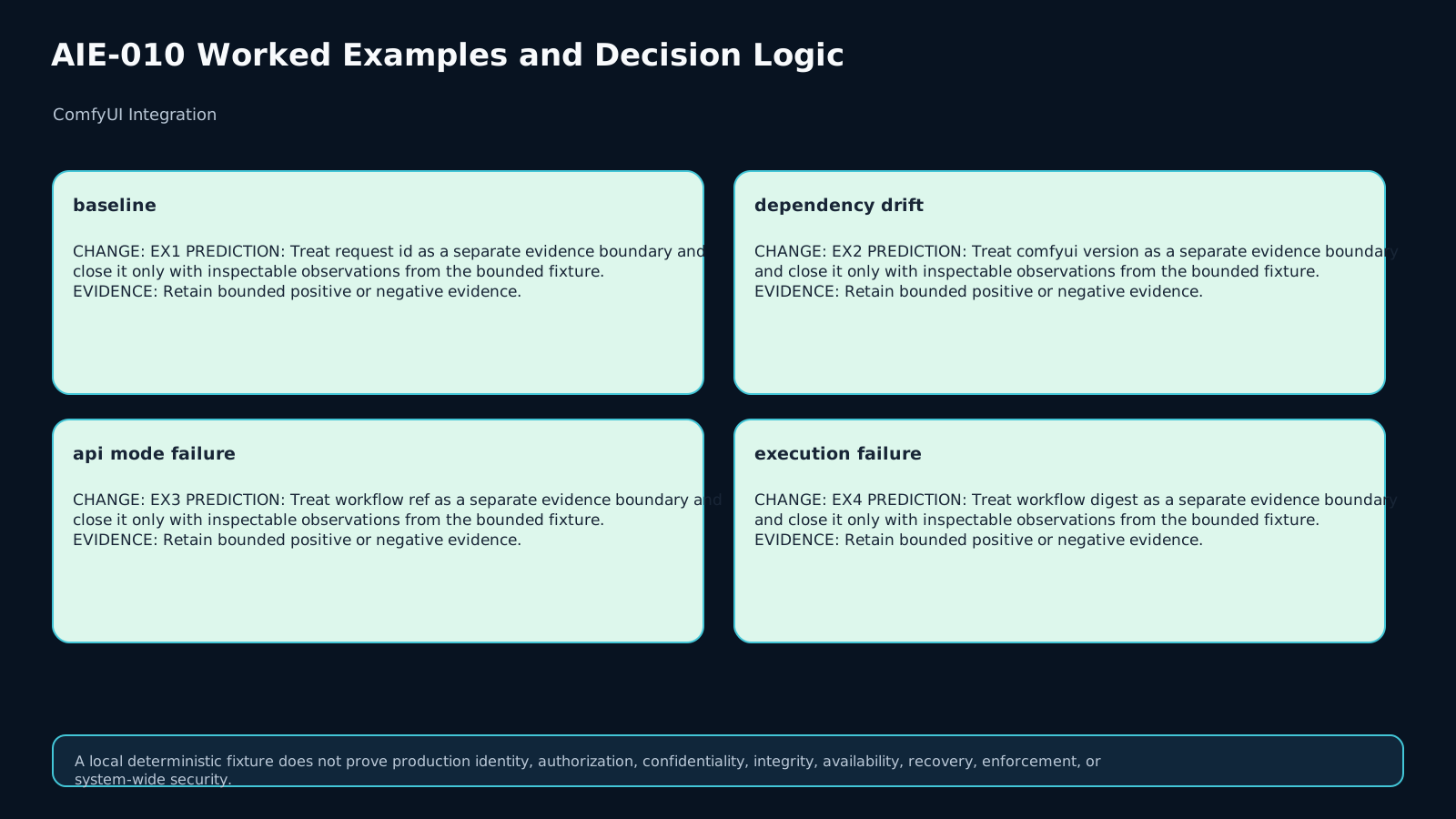
Baseline: ComfyUI identity and workflow digest are recorded; VendorMaskNode@2.4 matches the manifest; API-mode compatibility, required nodes, models, and features pass preflight; /prompt validates and returns a prompt id; WebSocket reaches execution_success; prompt-specific history lists the two expected images; and output digests match. That supports VERIFIED_RESULT. Counterexample 1: the custom-node package changes from 2.4 to 2.5 while the class name stays the same; requalification is required. Counterexample 2: submission is accepted but the prompt ends in execution_error; this is execution failure. Counterexample 3: execution succeeds but only one of two expected outputs is present; downstream handoff is blocked.
15. Transfer and final checklist
For transfer, keep the product request but change the environment so VendorMaskNode depends on direct client-server communication. UI visibility cannot inherit the prior API success; the new decision is PRECHECK_FAIL. In a second mutation, submission returns a prompt id but execution fails; rebuild the decision from the new evidence. Final checklist: ComfyUI version recorded, workflow digest bound, dependency manifest pinned, API-mode compatibility explicit, node/model/features preflighted, submission validation recorded, prompt and queue evidence bound, terminal state valid, prompt-specific history checked, expected and actual outputs validated with digests, timeout/cancel separated, and only then may downstream code rely on VERIFIED_RESULT.
Assessment
There is no answer key in this lesson pack; answer it yourself and mark honestly. "Needs review" sends the lesson to your review queue.
Q1
Why is a successful POST /prompt response insufficient for VERIFIED_RESULT?
Q2
A custom node is installed and visible in the web UI but requires direct client-server communication. What state should an API integration use?
Q3
Explain why the executed WebSocket message should not be treated as whole-prompt terminal success.
Q4
Transfer: the custom-node package version changes and then a queue-accepted prompt ends in execution_error. Rebuild the evidence path.
Assessment rubric
A passing response must:
- Bind the exact ComfyUI/workflow identity and dependency manifest before submission.
- Check required nodes/models/features and API-mode compatibility as a preflight gate.
- Treat
/promptacceptance andprompt_idas submission/correlation evidence, not completed media success. - Distinguish validation failure, execution error, cancellation, timeout, and output failure.
- Bind WebSocket/history evidence to the same
prompt_idand avoid usingexecutedas generic whole-prompt success. - Validate expected output count/type/digests independently before
VERIFIED_RESULT. - Rebuild qualification and decision evidence after workflow/dependency/environment changes rather than inheriting a prior successful run.
References & freshness
Case studies
Lesson visuals
Lab files
You receive eight synthetic API-integration records. Implement evaluate_request(case) in starter.py while keeping preflight, submission validation, execution state, and output validation separate.
Required result fields:
workflow_bounddependency_contract_okpreflight_readyqueue_acceptedexecution_stateoutput_statefinal_decisiondownstream_ready
Do not call ComfyUI or any external service. The fixtures are local and synthetic. Use run_checks.py to verify the learner-visible fixture structure. Fail closed: workflow/dependency drift, API-mode incompatibility, validation errors, execution errors, cancellation, timeout, or missing outputs must never become VERIFIED_RESULT.
Lesson media & slides
Teaching files (download)