امنیت، هویت، استقرار و تابآوری · فصل ۴ — Linux/Windows، Container، DNS، CDN و Storage · 95
Windows Service Fundamentals
Build a bounded Windows Service model around SCM registration/control, service state, account and startup configuration, control/status evidence and failure-recovery actions, then use that model to diagnose a disposable local service without confusing process existence with service correctness. میتواند برای «Windows Service Fundamentals» run/release model و signals/recovery checks لازم را برای یک سرویس محدود طراحی کند.
Lesson summary
Build a bounded Windows Service model around SCM registration/control, service state, account and startup configuration, control/status evidence and failure-recovery actions, then use that model to diagnose a disposable local service without confusing process existence with service correctness.
میتواند برای «Windows Service Fundamentals» run/release model و signals/recovery checks لازم را برای یک سرویس محدود طراحی کند.
This lesson produces
میتواند برای «Windows Service Fundamentals» run/release model و signals/recovery checks لازم را برای یک سرویس محدود طراحی کند.
Who it is for
Foundation
Worked runtime map, explicit evidence table, local fixture and one guided failure probe.
Repair
Reduce to one broken runtime/configuration assumption, observe it, repair it, then restore the full case.
Experienced
Compress introductory syntax; require independent diagnosis, negative evidence and bounded recovery decision.
Prerequisites
1. The problem: a running process is not enough evidence
A background executable can exist while its Windows Service identity, startup configuration, account, lifecycle state, control handling, or recovery behavior is misunderstood. Operations become brittle when all of those layers are collapsed into “the process is running.”
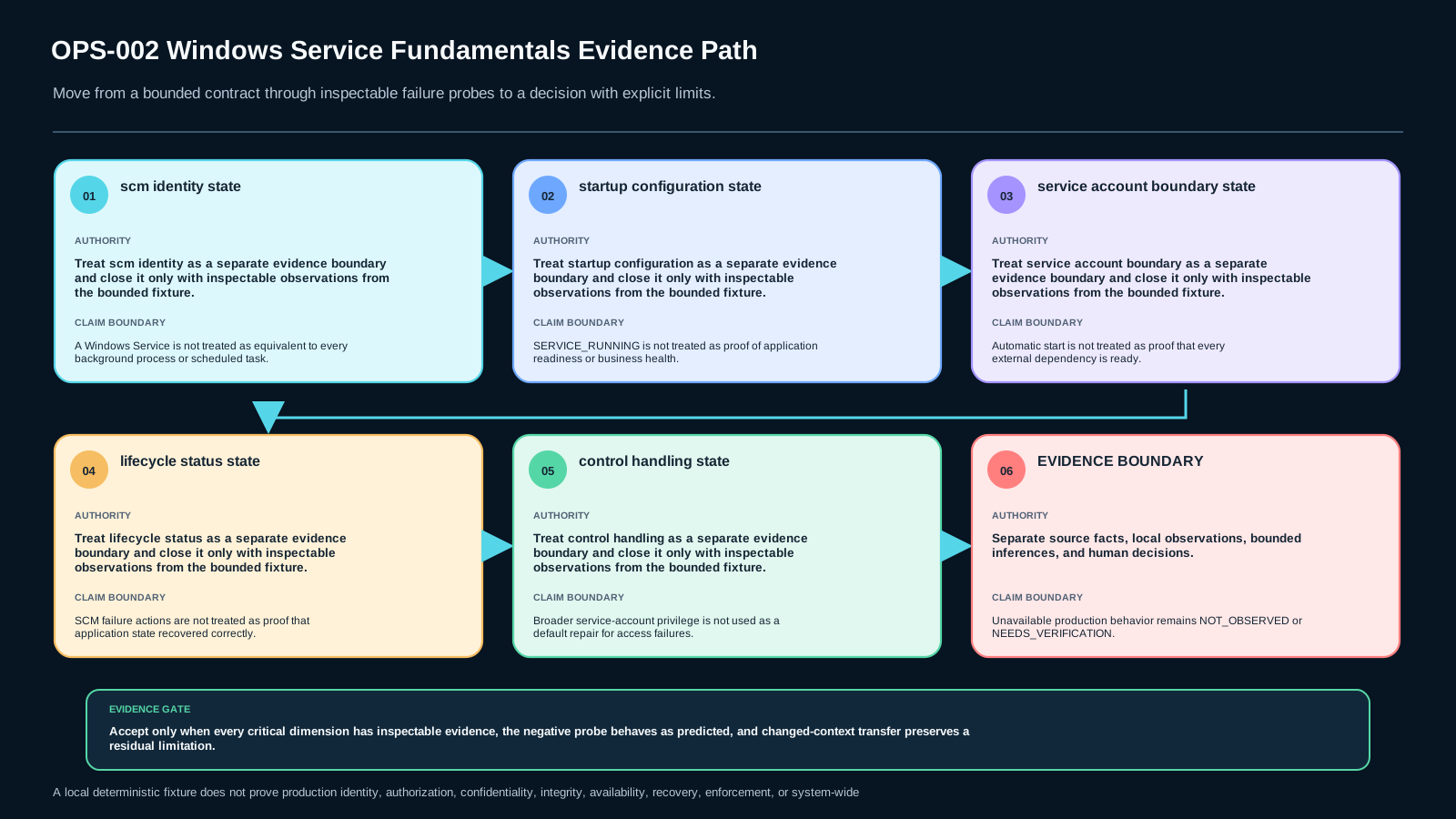
The owned artifact is Windows Service Lifecycle Evidence Record v1. It keeps Service Control Manager (SCM) identity, configured binary, service account, start type, dependencies, status transitions, controls, failure actions, application readiness, recovery evidence, and unknowns separate.
2. The SCM is the service lifecycle coordinator
Windows uses the Service Control Manager to maintain the installed-service database, start services, retain status information, and transmit control requests. That makes SCM-visible state a distinct operational evidence layer.
A process that happens to remain in the background does not automatically satisfy the Windows Service interface contract. The record must therefore start with the service name and SCM-visible configuration rather than a generic process listing.
3. Registration and configuration are intent, not runtime proof
A service record can describe the binary path, startup behavior, dependencies, and account. Those values explain intended configuration. They do not prove the current process is healthy, ready, or using every dependency successfully.
Keep configuration evidence and observed runtime evidence in different fields. If they disagree, preserve both observations before diagnosing the cause.
4. Start type answers when SCM may start the service
Automatic, delayed/triggered, and demand-start patterns represent different lifecycle intentions. An automatic start configuration does not prove that every resource the application wants is already ready when its work begins.
In the lab, startup mode is explicit fixture evidence. The learner must not infer it from a successful run or from a process being present.
5. The service account defines an identity boundary
A service executes under a configured account or service identity. That identity affects which files, registry objects, network resources, and other protected objects the service can access.
An access failure should first be treated as an evidence problem at the identity/resource boundary. Expanding privilege broadly is not a default fix. The smallest scoped conclusion is preferred.
6. Status reporting is a protocol, not an application-health oracle
A service reports lifecycle status to SCM. States such as start-pending, running, stop-pending, and stopped describe the service-control lifecycle.
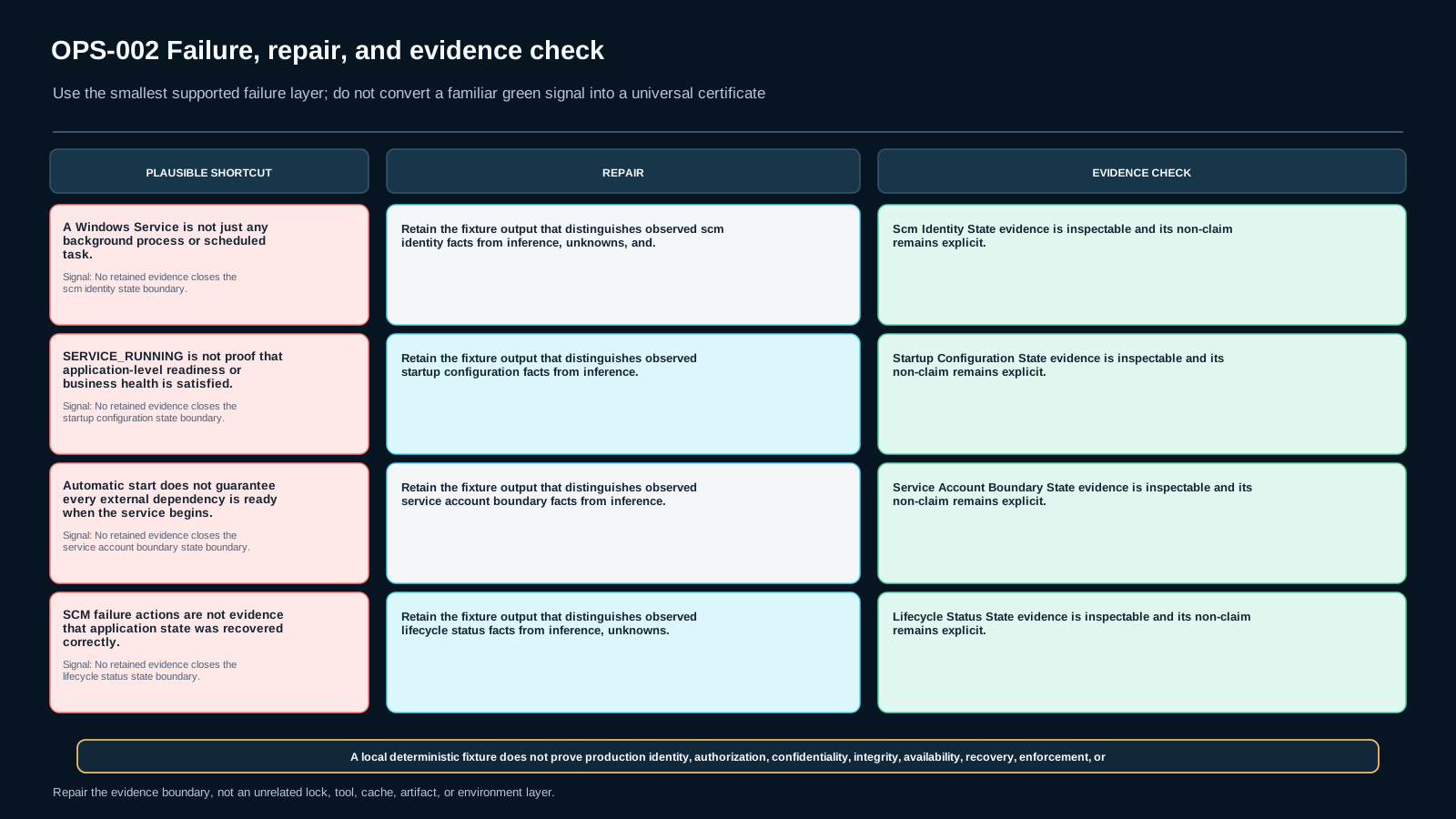
They do not automatically express application-specific readiness. SERVICE_RUNNING can coexist with a delayed readiness marker or an application-level dependency problem. The record therefore keeps SCM status and application-health evidence separate.
7. ServiceMain and the control handler form the service interface
A Windows service connects to the SCM, registers a control handler, performs initialization, and reports status as its state changes. Control requests such as stop are handled through this service-control interface.
The key operational question is not merely “did a command return?” It is whether the expected control was accepted and whether the corresponding status transition was directly observed.
8. Controls and status transitions should be correlated
A control request is one observation; the resulting lifecycle transition is another. For example, sending a stop request does not by itself prove that the service reached SERVICE_STOPPED cleanly.
Record the control sent, the status before and after it, and any exit/error evidence. Missing decisive status evidence leaves the affected conclusion open.
9. Failure actions are configured controller behavior
Windows can configure actions for qualifying service failures, such as restarting the service. That is useful operational evidence about controller behavior, but the action is not the same thing as application recovery.
A restart can occur while application state remains unavailable or corrupt. Record “restart occurred” separately from “application recovery verified.”
10. Running and ready are different claims
Readiness is application-specific. It may require a local health marker, a successful dependency check, or another bounded signal defined by the application.
This lesson does not prescribe one universal health check. It requires only that SCM lifecycle evidence and application-level readiness evidence not be silently merged.
11. Dependencies and adjacent concerns stay bounded
Service dependencies can influence startup ordering, but a configured dependency is not proof that an arbitrary external system is healthy when the application begins useful work. Likewise, this lesson does not attempt to prove full deployment, security, observability, or business correctness.
When evidence belongs to another operational layer, record it as an unknown or defer it rather than expanding the conclusion.
12. Windows Service Lifecycle Evidence Record v1
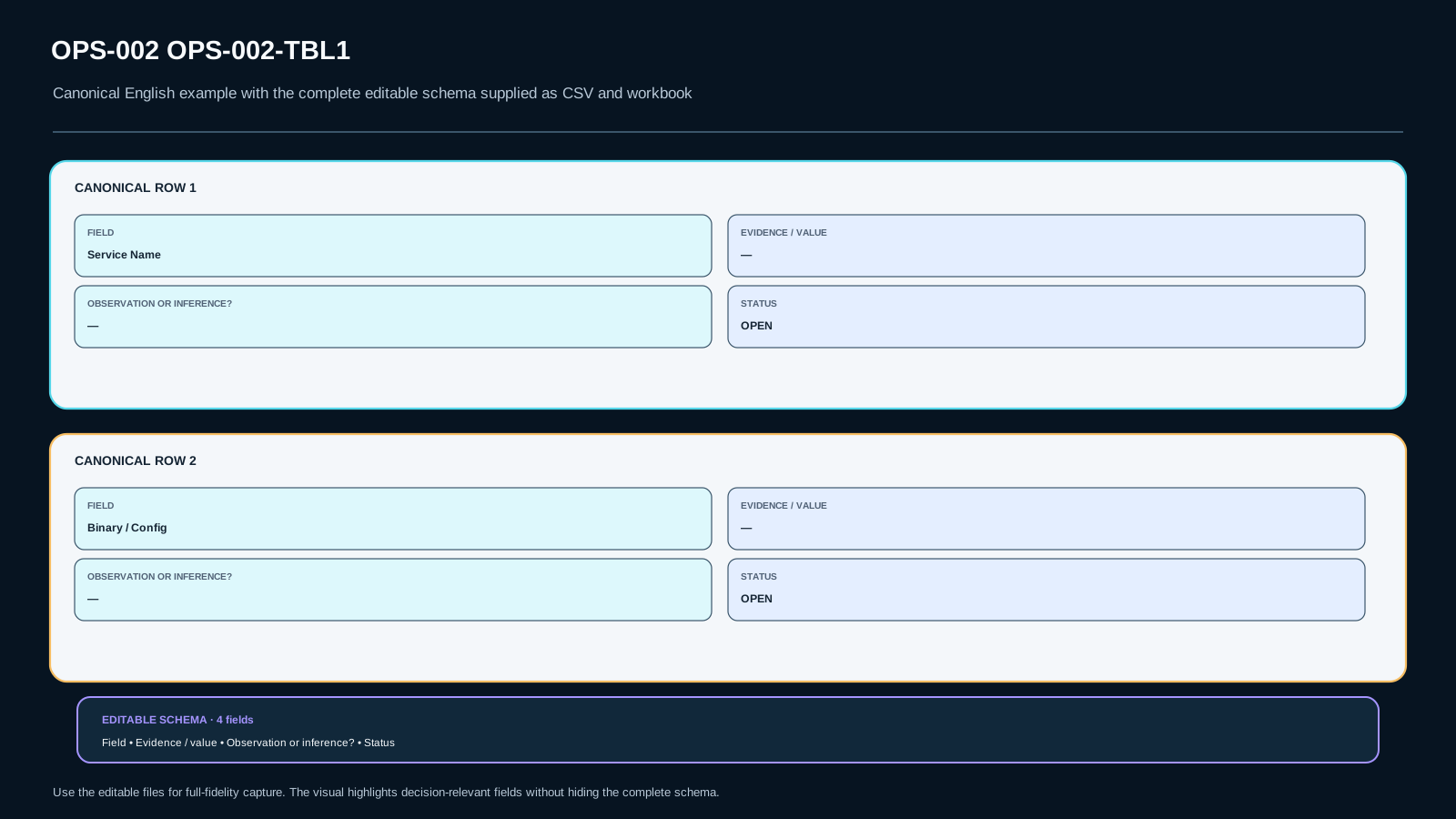
The artifact records Service Name, Binary/Config, Service Account, Start Type, Dependencies, SCM State, Control Sent, Exit/Error Evidence, Failure Action, Application Health Evidence, Recovery Check, direct observations, inferences, unknowns, and the final bounded decision.
Every decisive field needs traceable evidence. Missing service identity, lifecycle status, or recovery evidence keeps the affected decision open.
13. A deliberate failure should falsify a shortcut
The lab includes a case where SCM state reaches running while the application readiness marker is still false, a service-account boundary change, a benign exit with restart behavior, missing status evidence, and a control-acceptance gap.
These cases are designed to break shortcuts such as “running means healthy” or “restart means recovered” before the learner closes the record.
14. Lab and changed-context transfer
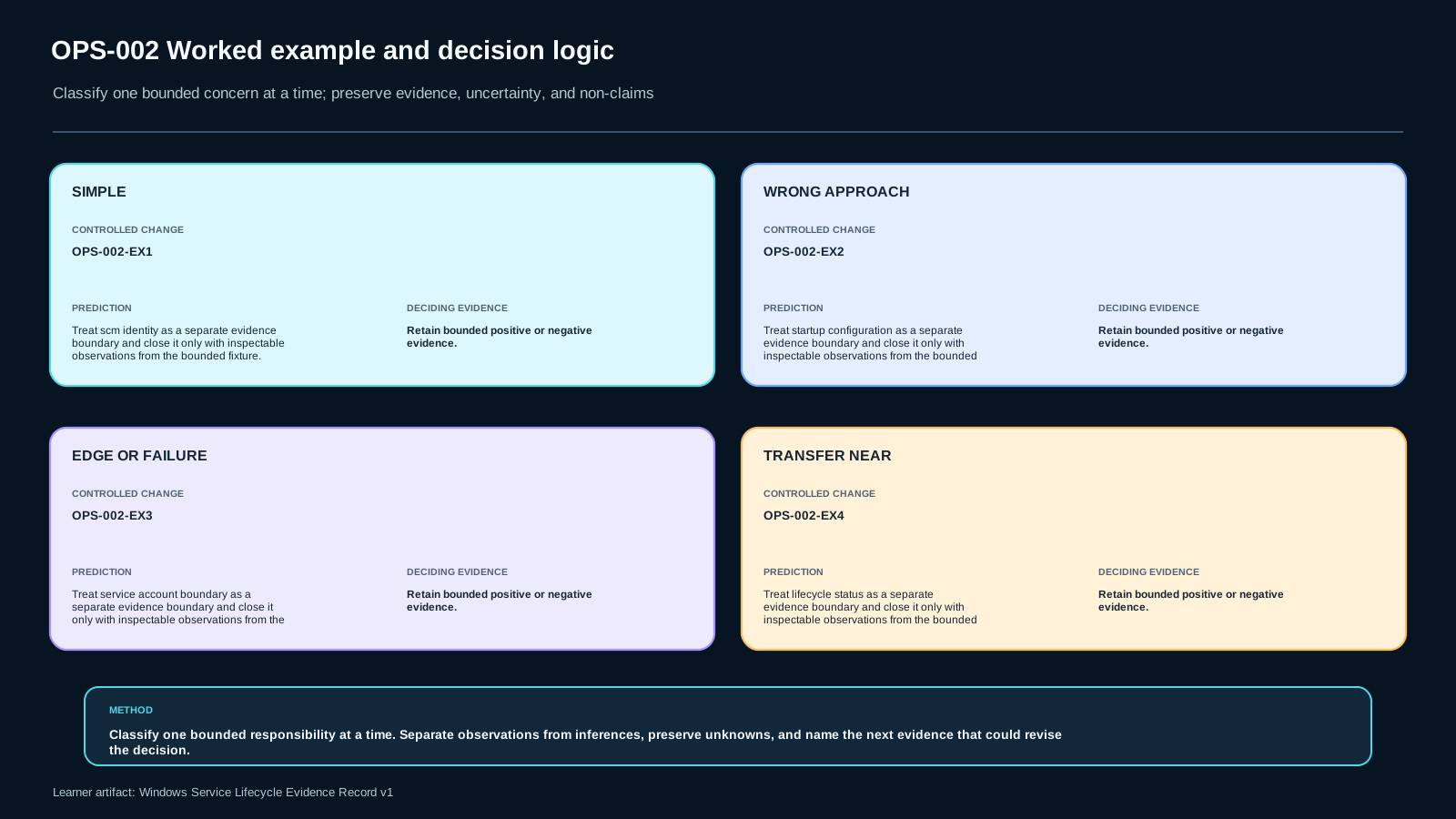
The lab is offline and synthetic. Eight fixtures model baseline lifecycle evidence, running-but-not-ready, account-boundary change, restart-without-recovery, missing status evidence, demand start, a control-handling gap, and a changed-context transfer case.
No real service, administrator credential, production host, or external network is required. The transfer case requires recomputing every state from changed evidence instead of copying the baseline diagnosis.
15. Sources, freshness, and claim boundaries
On 2026-09-19 the Microsoft Learn sources referenced by the frozen lesson authority were rechecked. They continue to describe SCM as maintaining installed-service information, starting services, retaining status and transmitting controls; current guidance also distinguishes Windows Services from other background mechanisms. Service entry/status responsibilities and failure-action semantics remain consistent with the lesson boundary.
These platform/documentation claims are freshness-sensitive. Recheck is due by 2026-12-31 or earlier after material Microsoft documentation, Windows behavior, or fixture changes. Windows Service Lifecycle Evidence Record v1 is a MAKNOW instructional design, not a Microsoft-prescribed record format.
Assessment
There is no answer key in this lesson pack; answer it yourself and mark honestly. "Needs review" sends the lesson to your review queue.
OPS-002-S1 retrieval
State the bounded Windows Service lifecycle model and one non-goal.
OPS-002-S2 application
Complete Windows Service Lifecycle Evidence Record v1 for a supplied local fixture using only direct evidence.
OPS-002-S3 diagnosis
Diagnose a running/readiness, service-account, control/status, or failure-action case without changing an unrelated layer.
OPS-002-S4 decision
Defend a bounded lifecycle/recovery conclusion against the shortcuts “running means healthy” and “restart means recovered.”
OPS-002-S5 transfer
Rebuild the record for a changed start mode/account/failure context without copying baseline conclusions.
Assessment rubric
A sufficient submission:
- preserves the SCM/configuration/application-health boundaries;
- distinguishes direct observation from inference;
- keeps
SERVICE_RUNNINGseparate from readiness; - keeps configured failure action separate from verified application recovery;
- treats account/resource access as a scoped identity boundary rather than defaulting to broader privilege;
- leaves unsupported conclusions OPEN;
- recomputes the changed-context case independently.
Critical failure occurs when the learner closes a lifecycle or recovery claim without decisive evidence, uses happy-path success as the only proof, or expands the conclusion into an adjacent operational layer.
References & freshness
Case studies
A disposable service fixture has explicit SCM identity, demand/automatic start configuration, account, status, controls, and readiness evidence recorded separately.
SCM reports SERVICE_RUNNING while the application readiness marker is false; treating running as healthy is rejected.
A restricted service-account fixture cannot access a declared resource and the learner keeps the repair scoped to the identity/resource boundary.
A second service uses demand start, a different account and a different benign failure pattern, requiring a fresh lifecycle evidence record.
Lesson visuals
Lab files
This lab is fully local and synthetic. It models evidence that would be observed from a disposable Windows Service fixture: SCM identity/configuration, start type, service account, lifecycle status, control requests, failure actions, readiness, and recovery verification.
No real service, administrator credential, production host, privileged operation, or external network is required. Do not point the fixture at real infrastructure.
Your task is to implement analyze(case) in starter.py and produce one bounded state for each of the eight dimensions. Keep SCM lifecycle separate from application readiness, and keep restart evidence separate from recovery evidence. Missing decisive evidence must stay OPEN.
Lesson media & slides
Teaching files (download)